
Turn a trip into a team game.
Quizpedition guides teams across a map, task by task: reach a place, take a photo as proof, answer a question, score points. Players don't need an account — just a code from the organiser.
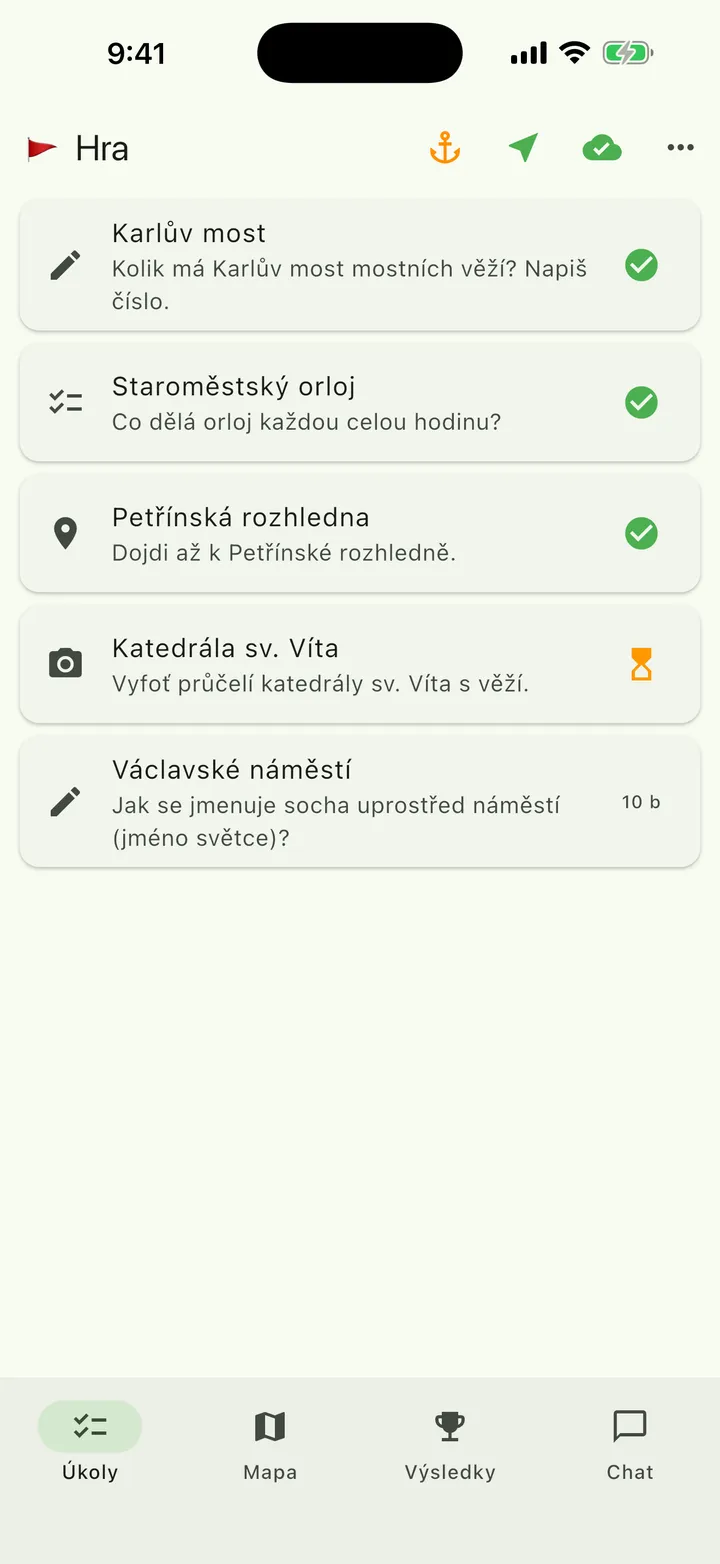
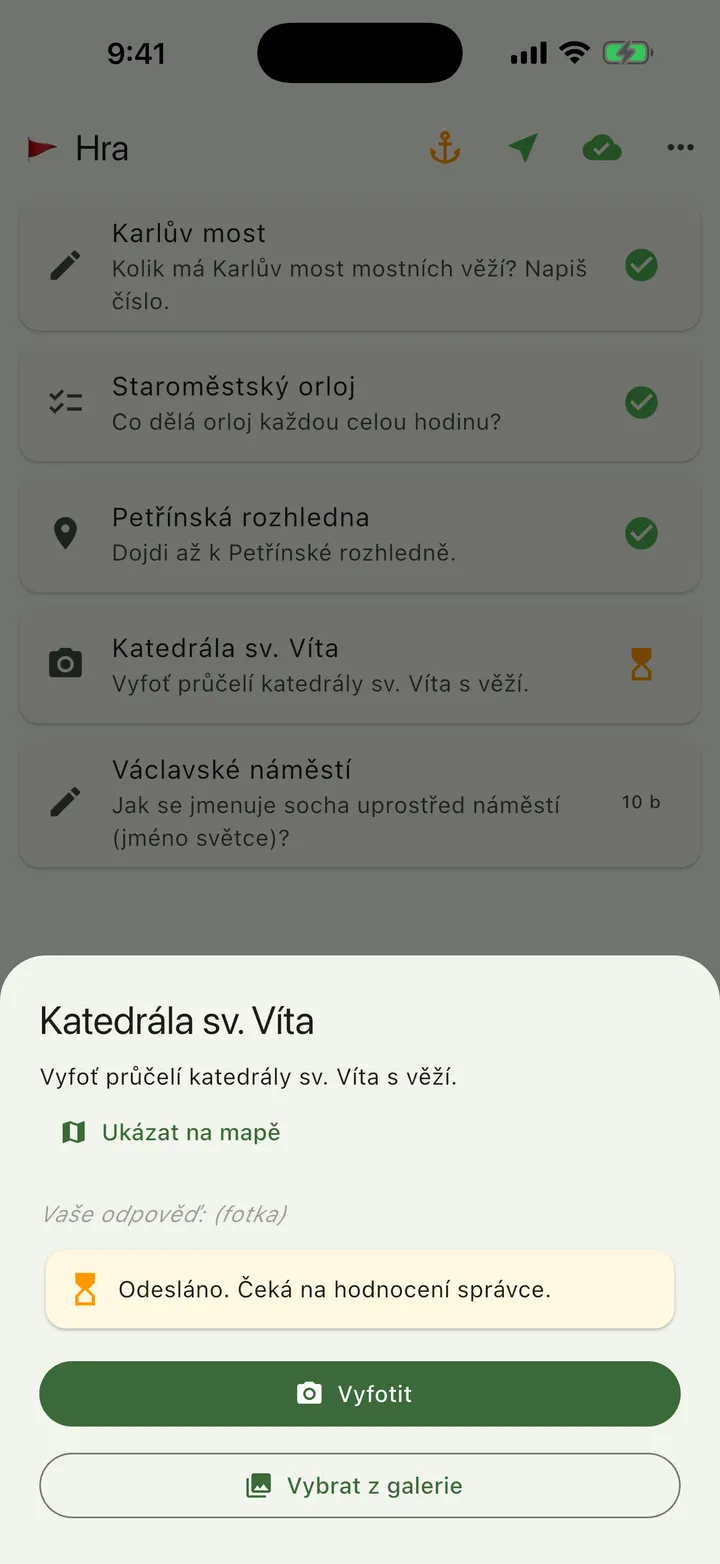
📷 St. Vitus Cathedral
Take a photo of St. Vitus Cathedral's front with the tower.
How it works
Three steps, two roles. The organiser builds and starts it; the team plays.
Build
On a big screen in the browser you place tasks on a map: where to go, what to photograph, what to answer, how many points it's worth. Routes for several teams with a shared start and finish.
organiser · webStart
You print QR codes or send a 6-character code. Teams scan it, pick a name and a captain. No sign-up, no e-mail.
organiser · web or phonePlay
The captain sends answers for the team, everyone else follows the map and progress. Points appear right away; the organiser reviews photos and free-text answers from a phone. Results are shared with one link.
team · appFour task types
They mix in one game. Text and multiple choice are scored automatically; a photo is judged by the organiser.
- Type What the team doesAnswer
- Reach a placeThe team arrives, by GPS, at a set point within a given radius.arrival = answer; when GPS doesn't catch, a fallback code from a sign
- Take a photoA photo from the spot — the whole team by a statue, a close-up of an inscription, a view.reviewed by the organiser, can be sent even offline
- Write an answerHow many towers does the bridge have? What's the statue's name? A number, a word, a sentence.scored automatically, regardless of accents or letter case
- Choose an optionA quiz question with a list of answers.scored automatically
A task can be tied to a place: a text or multiple-choice question unlocks only once the team is actually standing where it should be.
For players
- No account. A code from the organiser, a name, done.
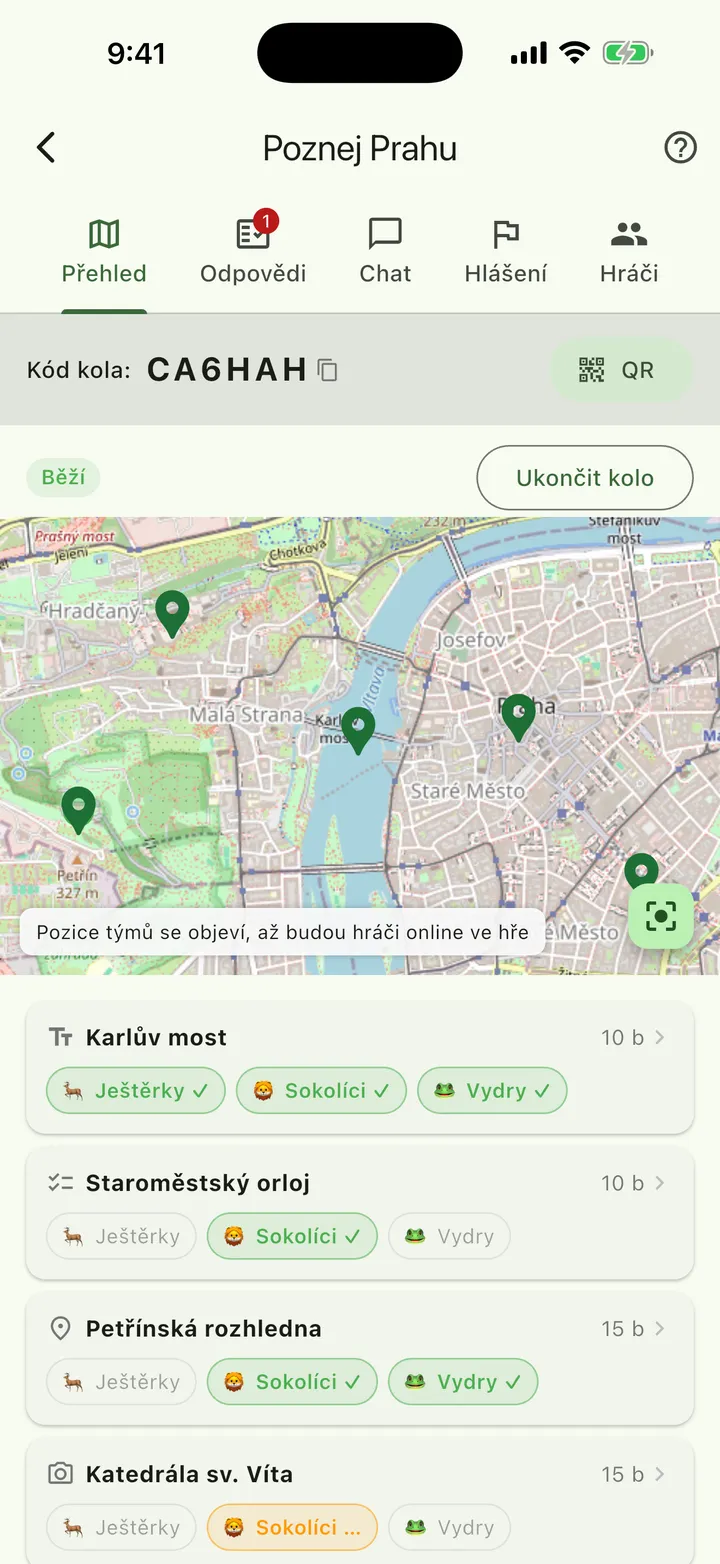
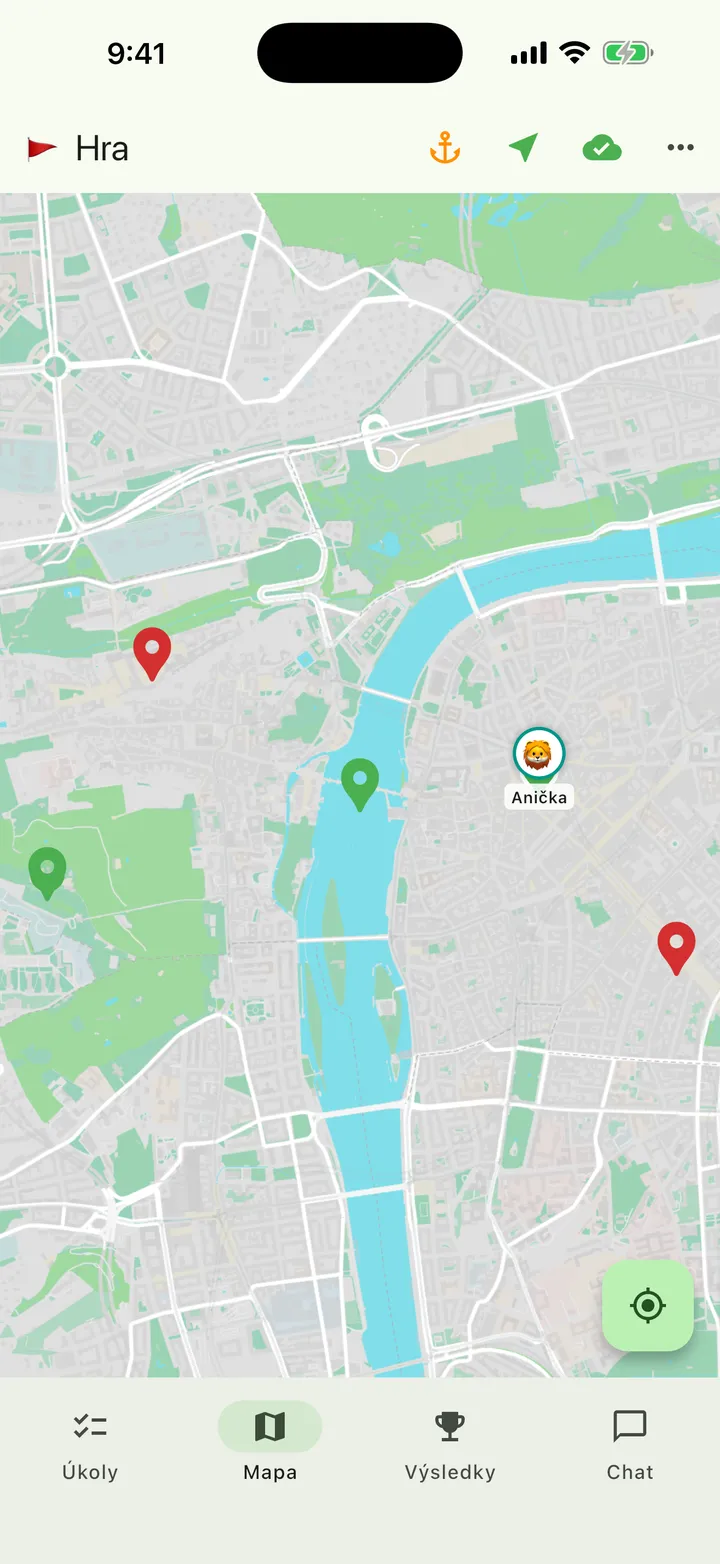
- Live standings and — when the organiser turns it on — teammates on the map.
- The captain sends answers for the team; everyone else follows progress, the map and the results.
- Chat with the organiser when the team is stuck.
- A weak signal won't stop the game: the map is on the phone in advance and answers are sent on their own once there's signal again.
For organisers
- You build it in a browser, you run it from a phone in the field.
- You review photos and free-text answers right on your phone; everything else scores itself.
- You see teams on a live map and can start or finish the round from anywhere.
- Every team can take its own route with a shared start and finish.
- The app notifies you of new messages and answers to review.
- You print QR codes for teams, share results with a public link and run the same game again for another group.
When the signal drops, the game goes on.
In a forest, in a valley, or in a packed network on the square. The app is online — it just plans for the network sometimes not being there.
- The map is on the phone in advanceThe area for a round downloads when you join, not once you're on the spot.
- Answers send themselvesText and photos save on the phone and send once there's signal again. The team doesn't have to do anything.
- A fallback code from a signWhen GPS doesn't catch between buildings, the team copies a code from a sign on the spot and moves on.
Where it fits
- Adaptation courses and outdoor schools
- Corporate team-building
- City games and treasure hunts
- Camps and youth groups
- Sightseeing routes around a city
- Family outings
- Celebrations
Privacy is part of the game, not a footnote.
Kids and employees play. We collect only what the game needs, and only for as long as it needs it.
- Players have no account or e-mailThey join with a code and a name they choose themselves.
- Location only during the gameShared only with the app in the foreground; seen by the organiser and, if enabled, teammates. Not stored.
- Photos gone after 90 daysOnce a round ends, photos are deleted and player names are anonymised.
- Data in the EU, our own serverNo ads, no third-party analytics, no tracking cookies.
- Consent on entryPlayers confirm what's processed before they join.
- Deletion on requestThe organiser can delete their account and games themselves; a player asks for deletion through the organiser or support.
An app for players and organisers
Got a code? Download the app, enter the code and a name. You set up an organiser account on the web — the app then serves you in the field.

Do players need an account or e-mail?
No. A player enters a code from the organiser and a name they choose. Only the organiser has an account, and only on the web.
How much does it cost?
A round with up to 3 teams and a game with up to 8 tasks are free, photos and all features included. Larger rounds for schools and companies are paid per round played — tell us what you're planning.
What if there's no signal in the field?
The round's map is on the phone in advance, answers send themselves once there's signal again, and when GPS doesn't catch, the team uses a fallback code from a sign on the spot.
How many teams and tasks can a game have?
Practically no limit for a typical class, company or group. Every team can have its own route with a shared start and finish.
Who sees players' location?
The round's organiser and, if they enable it, teammates. Only during the game and only with the app in the foreground; location isn't stored.